
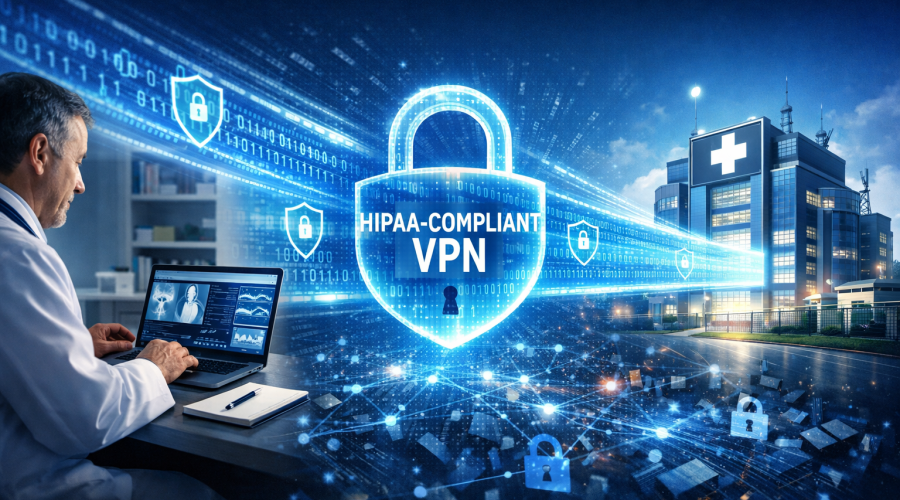
In the modern digital landscape, healthcare data has become the “gold standard” for cybercriminals. In 2023 alone, the healthcare sector witnessed a staggering surge in data breaches, with the HHS Office for Civil Rights reporting over 725 incidents affecting more than 133 million patient records [Reference: HHS OCR Portal].
The financial stakes are unprecedented. According to IBM’s Cost of a Data Breach Report, healthcare has held the top spot for the most expensive data breaches for over a decade, with the average cost hitting nearly $11 million per incident [Reference: IBM Security Report]. However, the cost goes beyond money; it erodes patient trust and can physically disrupt life-saving treatments during ransomware attacks.
The core problem is the dissolution of the traditional hospital perimeter. Medical staff now access Electronic Health Records (EHR) from home offices, coffee shops, and conference centers. Data is transmitted across public networks, mobile carriers, and unsecured Wi-Fi hotspots.
The solution is not to stop remote access, but to secure it effectively. A properly configured, HIPAA-compliant Virtual Private Network (VPN) acts as a digital armored car, transporting Protected Health Information (PHI) through a chaotic internet safely to its destination.
Many healthcare administrators mistakenly believe that “encryption” equals “compliance.” However, a VPN is only HIPAA-compliant if it aligns with the specific administrative, physical, and technical safeguards outlined in the Health Insurance Portability and Accountability Act.
The most critical distinction between a standard consumer VPN (like those used for watching Netflix abroad) and a healthcare VPN is the Business Associate Agreement (BAA).
Under HIPAA regulations, any vendor that creates, receives, maintains, or transmits PHI on behalf of a covered entity is considered a “Business Associate.”
Without a signed BAA, using even the most technically advanced VPN is a HIPAA violation by default.
To understand the necessity of VPNs, one must understand the threat. Why are hackers targeting hospitals?
Unlike a stolen credit card, which can be canceled in minutes, a medical record is permanent. It contains a treasure trove of unalterable data: Social Security numbers, dates of birth, medical history, and insurance details.
A VPN stops this by rendering intercepted data useless. Even if a hacker intercepts the Wi-Fi signal at a doctor’s home, all they see is scrambled, indecipherable code thanks to the encrypted tunnel created by the VPN.

For a VPN to meet the HIPAA Security Rule, specifically the standard for Transmission Security (45 CFR § 164.312(e)(1)), it must possess specific technical capabilities.
The standard for healthcare data is the Advanced Encryption Standard (AES) with 256-bit keys. This is the same level of security used by the NSA and global financial institutions.
While consumer VPNs sell themselves on “No-Log” policies for privacy, healthcare regulations require logs. If a breach occurs, forensic analysts must be able to trace:
A HIPAA-compliant VPN stores these logs in a secure, tamper-proof environment for at least six years, as recommended for compliance documentation.
Relying solely on passwords is negligence in 2024. The Verizon Data Breach Investigations Report consistently highlights compromised credentials as a leading cause of breaches.
HIPAA-compliant VPNs integrate MFA, requiring a second form of verification:
If the VPN connection drops due to network instability, the device might automatically revert to the standard, unencrypted internet connection without the user noticing. A “Kill Switch” prevents this by instantly cutting the internet connection until the encrypted VPN tunnel is re-established, ensuring zero packets of PHI leak.
A common concern among medical staff is that a VPN will slow down the transfer of large files, such as MRI scans or high-resolution X-rays. This depends largely on the VPN Protocol used.
Expert Tip: Avoid outdated protocols like PPTP or L2TP/IPsec. While fast, they have known security vulnerabilities and are generally not considered secure enough for PHI transmission.
The rise of Telehealth has led to a “Bring Your Own Device” (BYOD) culture. Doctors check labs on iPhones; nurses update charts on iPads.
The Risk: A lost or stolen personal device containing PHI is a major breach. Furthermore, mobile devices often connect to public Wi-Fi networks which are notorious for “Man-in-the-Middle” (MITM) attacks.
The Solution:
HIPAA-compliant VPNs for healthcare must offer dedicated mobile applications. These apps should function differently than desktop versions:
Deploying a VPN across a hospital system or private practice requires a methodical approach.
Before buying software, you must assess vulnerabilities as per 45 CFR § 164.308(a)(1).
Using a Dedicated IP allows your network firewall to “whitelist” only specific IP addresses. If a hacker steals a doctor’s username and password but tries to log in from a random IP address in another country, the firewall will block them because the traffic isn’t coming from the approved VPN IP.
Roll out the VPN to a small group first (e.g., the IT team and one clinical department). Test for:
Staff Training: Train staff to recognize the VPN icon. They must understand that if the lock icon isn’t visible, they are not to open patient files.
Forward-thinking healthcare CIOs are looking beyond the traditional VPN toward Zero Trust Network Access (ZTNA).
In a traditional setup, once a user connects via VPN, they often have broad access to the network. If that user is compromised, the hacker can move laterally across the network.
Zero Trust operates on the principle of “Never Trust, Always Verify.” Even after connecting via VPN, the user is verified continuously.
Integrating your HIPAA-compliant VPN with a Zero Trust framework provides the ultimate defense-in-depth strategy.
| Feature | Standard Consumer VPN | HIPAA-Compliant Healthcare VPN |
| Business Associate Agreement (BAA) | Not available | Mandatory and Provided |
| Audit Logs | Strictly “No-Logs” (Privacy focus) | Detailed Access Logs (Compliance focus) |
| Encryption Standard | Varies (128-bit to 256-bit) | AES-256 bit Minimum |
| Authentication | Single Password | Multi-Factor Authentication (MFA) |
| Access Control | Broad Network Access | Granular / Role-Based Access |
| Support | General Chat Support | Dedicated Compliance Support Team |
| Incident Response | User’s Responsibility | Vendor Protocol Included |
| Suitable for PHI? | ❌ NO | ✅ YES |
Myth 1: “We are too small to be targeted.”
Reality: Small practices are prime targets because hackers assume they have smaller IT budgets and weaker defenses. The American Medical Association warns that cyberattacks on small practices are becoming the primary entry point to larger health networks.
Myth 2: “Our EHR provider handles security, so we don’t need a VPN.”
Reality: Your EHR provider secures the server, but they do not secure the connection from your laptop to that server. If you use public Wi-Fi to access a secure cloud EHR without a VPN, your login credentials can still be intercepted.
Myth 3: “VPNs make internet speed unusable.”
Reality: Modern VPNs using WireGuard or IKEv2 protocols cause negligible speed loss (often less than 5-10%). Performance issues are usually due to poor internet bandwidth, not the encryption itself.
Q: Can we use a free VPN for our medical practice?
A: Absolutely not. Free VPNs often monetize by selling user data to advertisers, rarely offer AES-256 encryption, and will never sign a BAA. Using a free VPN is an almost guaranteed HIPAA violation.
Q: How much does a HIPAA-compliant VPN cost?
A: Managed business VPNs typically range from $10 to $20 per user/month for basic licenses. However, fully managed services including dedicated IPs and 24/7 threat monitoring can range from $50 to $200 per user/month.
Q: Do we need a VPN if we use Remote Desktop Protocol (RDP)?
A: Yes, urgently. RDP is one of the most common attack vectors for ransomware. You should never expose RDP directly to the internet. Always place RDP behind a VPN gateway so that users must authenticate via VPN before they can even see the RDP login screen.
Q: How often should we update our VPN policies?
A: At least annually or whenever significant operational changes occur (e.g., a merger, new EMR software, or a shift to remote work).
Healthcare data security is no longer just an IT concern; it is a patient safety issue. A breach doesn’t just cost money—it delays surgeries, reroutes ambulances, and exposes patients to lifelong identity theft risks.
A properly implemented, HIPAA-compliant VPN serves as the bedrock of a secure remote access strategy. It ensures that wherever your providers are—whether at a conference, at home, or moving between clinics—the integrity and confidentiality of patient data remain inviolate.
Your Action Plan:
The question isn’t whether you can afford the time and cost to implement a robust VPN; it is whether your organization can survive the devastation of a breach without one.
Disclaimer: This article provides general information about HIPAA-compliant VPN technology. It does not constitute legal advice. Always consult with qualified legal and IT security professionals to ensure your specific implementation meets all applicable regulations.