
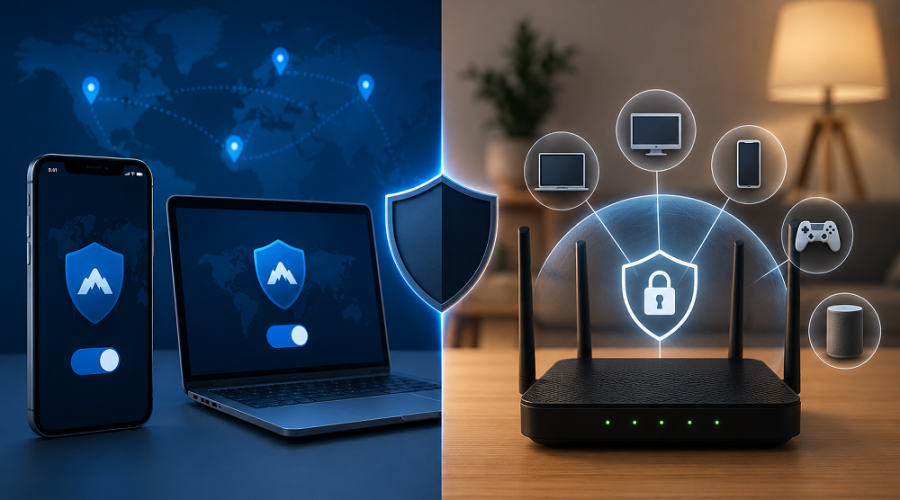
A common dilemma surfaced on a privacy forum recently: “I’m annoyed by forgetting to toggle my VPN app and constantly hitting CAPTCHAs. Would a router-level VPN solve my problems, or just create new ones?” Let’s break down the realities of network-wide coverage versus device-level control.
If you’ve been using consumer VPN apps on your phone or PC, you likely know the daily friction. You forget to turn it on before joining a public Wi-Fi network, or you forget to turn it off when your banking app suddenly blocks your login. Then there are the endless CAPTCHAs (“Select all images with crosswalks”) simply because your VPN IP address has been flagged for suspicious volume.
Naturally, the idea of a router-level VPN is incredibly appealing. Set it up once at the network gateway, and every device in your house—from your smartphone to your smart fridge—is instantly covered. But does this actually make daily life easier?
The Bandwidth Bottleneck
Consumer routers are built to route traffic, not encrypt it. The CPU overhead required to run OpenVPN or WireGuard encryption at the hardware level is massive. A router handling a 1 Gbps connection might max out at 50-100 Mbps when running a VPN, instantly slashing your household speeds.
The App vs. Router Divide: Where Do the Problems Move?
Moving your VPN from software apps to your physical router doesn’t eliminate problems; it just changes their nature. Let’s look at the daily tradeoffs.
Device-Level VPN Apps
Pros: Easy to install, features granular “Split Tunneling” (e.g., routing Chrome through the VPN but letting your local game bypass it), and utilizes your PC’s powerful CPU for zero speed loss.
Cons: Strictly limited by device connection caps (often 5-10 devices max). Cannot be installed on IoT devices, Apple TVs, or gaming consoles.
Router-Level VPN
Pros: Blanket “always-on” security. Bypasses provider device limits (1 router counts as 1 connection, regardless of how many devices connect to it). Protects smart home tech.
Cons: High setup complexity. If Netflix blocks the VPN IP, your entire house loses Netflix until you manually change servers on the router dashboard.
What About Gaming Latency and Family Troubleshooting?
For gamers, a router VPN is generally a bad idea unless the router has advanced, app-level routing capabilities. Encrypting traffic adds physical distance and processing time to your data packets, which directly translates to higher ping and lag spikes.
- The Family Factor: If you are the “IT person” of the house, a router VPN means you will get support calls from family members every time a website randomly blocks access due to the VPN IP.
- Split Tunneling is Harder: On a PC app, bypassing the VPN for a single app is one click. On a router, you typically have to exclude an entire device (by MAC address) rather than a specific application.
Pro Tip for Gamers
If you must use a router VPN, look for firmware like AsusWRT-Merlin or pfSense that allows for “Policy Routing.” This lets you assign your gaming PC’s IP to bypass the VPN entirely while the rest of the house remains encrypted.
Scaling Up: When Businesses Face the Same Dilemma
This exact debate between individual control and network-wide coverage happens at the corporate level, but with much higher stakes. Relying on employees to remember to toggle their individual VPN apps is a massive compliance risk.
This is why organizations move away from consumer setups and adopt robust commercial VPN solutions. A centrally managed VPN ensures that secure tunnels are created at the network gateway level without relying on user interaction.
- For SMBs: Finding the best VPN for small business usually means looking for cloud-managed routers (like Meraki or UniFi) that offer seamless site-to-site VPNs without tanking office bandwidth.
- For Corporations: A full-scale enterprise VPN service transitions away from traditional hardware bottlenecks, utilizing Zero Trust Network Access (ZTNA) to authenticate users rather than just encrypting a whole building.
- For Healthcare: If you are handling patient data, you cannot afford the “dropped connection” risk of a consumer app. Deploying a HIPAA compliant VPN at the infrastructure level ensures that data transmission meets strict legal encryption standards, regardless of employee error.
Whether you are securing a home network or a global enterprise, protecting the perimeter is only one step. True security requires implementing all 7 layers of defense in depth.
Frequently Asked Questions
Yes, routing all network traffic through a VPN encrypts the data before it leaves your house, which introduces additional processing time (latency). Unless your router has a powerful CPU and supports granular split-tunneling to bypass the VPN for your console, your gaming ping will likely increase.
They provide blanket coverage, protecting devices that cannot natively run VPN apps (like smart TVs and IoT devices) without requiring family members to remember to turn the VPN on. However, they can cause issues if a specific streaming app or website actively blocks VPN IP addresses.
For business security, relying on employees to toggle consumer VPN apps is risky. Businesses should opt for a managed VPN integrated at the gateway/router level, or deploy an enterprise VPN service with strict Zero Trust network access controls.